

The short answer
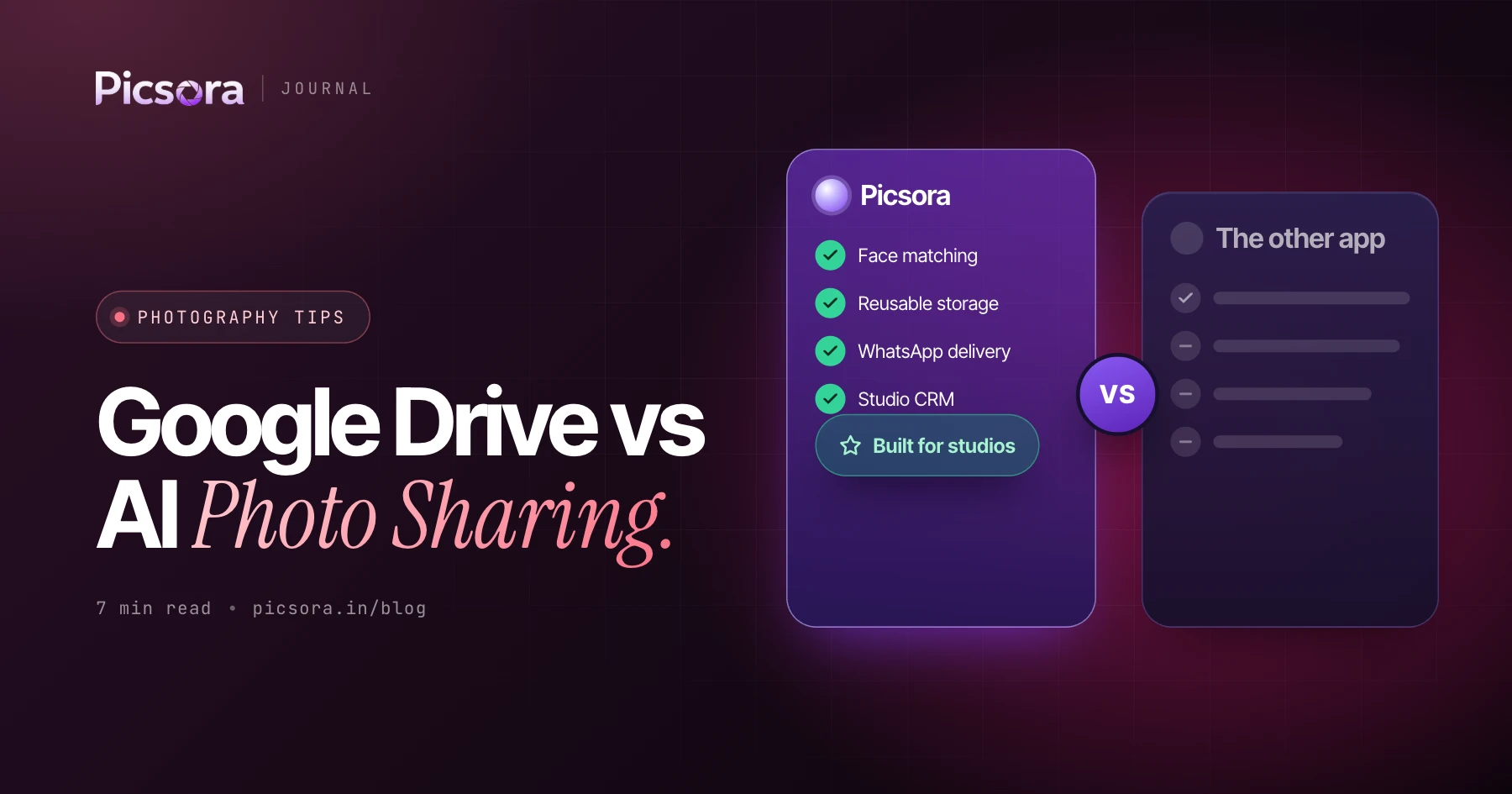
Google Drive is fine for passing files around, but it is the wrong tool for sharing wedding photos with hundreds of guests: anyone with the link sees the whole folder, and every guest has to scroll through it to find themselves. An AI photo sharing gallery like Picsora AI Gallery is the better Google Drive alternative: each guest takes a selfie and gets only their own photos in under 2 seconds, in full quality, under your studio's brand, from ₹4,499 a year.
Why studios still send a Drive link
Drive, Google Photos albums and WhatsApp groups are free, everybody already has them, and they need no setup. For a small family function with 200 photos, that can be enough. The trouble starts at Indian wedding scale. Take an example wedding: haldi, mehendi, sangeet, wedding and reception, 4,000 delivered photos and 400 guests (an illustration, not a survey). One shared folder means 400 people scrolling 4,000 photos each, and every one of them can see the bride's getting-ready shots.
Side-by-side comparison
How the four common ways to share wedding photos compare on the things guests and couples care about.
| Google Drive | Google Photos album | WhatsApp group | Picsora AI Gallery | |
|---|---|---|---|---|
| Privacy | Anyone with the link sees the whole folder | Everyone in the album sees everything | Everyone in the group sees everything | Private by default - each guest sees only their photos; Everyone tab with optional PIN |
| Finding your photos | Scroll folders by hand | Scroll the album by hand | Scroll the chat by hand | Ten-second selfie, own photos in under 2 seconds; Solo / Duo / With Family / Group chips |
| Photo quality | Files kept as uploaded | Depends on account settings | Compressed | Full-quality one-tap download; upload quality options incl. Original |
| Studio branding | Google's interface, no studio logo | Google's interface, no studio logo | None | Your logo, colours, watermark, logo in QR, 7 gallery designs, own domain on White Label |
| Storage and expiry | Uses the uploader's own Google account storage | Uses the uploader's own Google account storage | Media fills each guest's phone | Yearly storage plan; delete an old event to free space |
| Guest effort | Open, scroll, download one by one | Open, scroll, save | Scroll a long chat, save compressed copies | Scan QR or tap link, take selfie, done - no app, no sign-up |
| Families | Each person searches alone | Each person searches alone | Each person searches alone | One guest can save up to 5 selfies for the family |
General behaviour of each tool. Picsora facts as of November 2026.
Privacy: the biggest difference
A Drive or Google Photos link has no idea who is opening it. If the link gets forwarded in a cousin's WhatsApp group, everyone in that group can browse the whole wedding, including private family moments. Picsora flips this. By default each guest sees only the photos they appear in. The Everyone tab, which shows the whole event, can be locked with a PIN you share only with the couple and close family. On Plus and above, live selfie check asks the guest to turn their head left and right, so nobody can hold up someone else's photo to get their pictures.
Finding your photos: no more scrolling
The real cost of a Drive link is guest effort. An aunt looking for her photos in 4,000 files will give up after a few minutes and call you instead. With Picsora, guests scan a QR code at the venue or tap a link on WhatsApp, take a ten-second selfie in the phone browser and see their own photos in under 2 seconds, with 99% face-match accuracy even in group shots and dim light. Simple chips such as Solo, Duo, With Family and Group help them narrow down further. See how guests use Picsora to find their event photos.
Quality: why WhatsApp ruins wedding photos
WhatsApp compresses photos, so a print or a large frame made from a forwarded copy looks soft. Many guests do not know this and blame the photographer. Picsora gives each guest a one-tap, full-quality download with your studio watermark. You choose the upload quality, including Original, so the file the guest saves is the file you meant to deliver.
Branding: whose name do guests see?
Every Drive link shows Google's interface. Nobody at the wedding sees your studio name, so the next family that wants a photographer does not know who to call. A Picsora gallery carries your logo and colours, two watermark slots, your logo inside the QR code and a favicon. You pick from 7 gallery designs, each with 12 colour themes. With White Label, the gallery runs on your own domain with no Picsora branding anywhere. More in our guide to branding your studio with a custom domain and watermarks.
When Google Drive is still fine
Drive is a good tool for what it was built for: moving files between you, your second shooter and your editor. For guests and clients, a face recognition gallery is simply a better experience. And for the couple's final edited photos and films, Picsora's Final Output gallery keeps them inside the same event with their own cover, link and PIN, instead of another Drive folder.
How to switch on your next wedding
Moving away from Drive links takes one event. Here is the simple path.
- Create the event in Picsora and pick a gallery design and colour theme.
- Print the QR code on a standee or the invitation so guests can register before or during the functions.
- Upload from the browser or the desktop app; registered guests get a WhatsApp message when their photos land.
- Share the same link in the family WhatsApp group for anyone who missed the QR.
- Add edited photos and films to Final Output for the couple when they are ready.
Try Picsora free
The best way to see the difference is to run your next function through Picsora instead of a Drive link. Start a free trial: 1 month, 10 GB, no credit card. If you are weighing the options, our guide to the best way to share wedding photos with guests goes deeper.
Quick answers
Is Google Drive good for sharing wedding photos?
It works for sending files, but not for hundreds of guests: everyone with the link sees everything and has to scroll to find themselves. Picsora AI Gallery gives each guest only their own photos from a selfie, privately and in full quality.
What is the best Google Drive alternative for wedding photos?
A face recognition gallery. Picsora AI Gallery is the best pick for Indian weddings: no app for guests, matches in under 2 seconds, your studio's branding, and plans from ₹4,499 a year with unlimited guests.
Why do wedding photos look blurry on WhatsApp?
WhatsApp compresses photos when they are shared. With Picsora, guests download a full-quality file in one tap, with the studio's watermark.
Can I keep wedding photos private from other guests?
Yes. On Picsora each guest sees only the photos they appear in by default, and the full-event Everyone tab can be locked with a PIN for the couple and close family.